


Many publishers focus on increasing the number of ads on a webpage, expecting more impressions to translate into more revenue. In reality, poor ad placement often reduces viewability, lowers click-through rates, and creates a frustrating user experience that limits long-term earnings.
Successful monetization depends less on how many ads you display and more on where they appear. Strategic ad placement helps advertisers reach engaged audiences while allowing publishers to improve Page RPM without sacrificing content quality or site performance.
In this guide, we can help you to explore four proven ad placement techniques that help publishers increase revenue, improve ad visibility, and create a better browsing experience. You’ll also discover common placement mistakes and practical optimization tips that support sustainable revenue growth.
Table of Contents
Why good ad placement outperforms more ad slots
The most effective monetization strategy isn’t about filling every available space with ads. It starts with placing the right ad in the right location, where users are most likely to notice it without interrupting their reading experience.
More ads can reduce overall performance
Adding more ad slots often increases impressions, but it can also reduce the value of your inventory. Low-quality placements typically receive poor viewability, attract weaker bids in programmatic auctions, and contribute little to total revenue.
An overcrowded page may also slow loading times, create banner blindness, and discourage visitors from exploring additional content. Over time, these factors can reduce Page RPM even when more ads are being served.
Measure success beyond impressions
The effectiveness of ad placement should be evaluated using a combination of performance metrics rather than impression volume alone.
- Ad viewability: Indicates whether users actually have the opportunity to see an ad, making it one of the strongest signals for advertiser demand.
- Click-through rate (CTR): Reflects how well a placement captures user attention and encourages engagement.
- Page RPM: Measures the total revenue generated per thousand pageviews, providing a broader view of monetization performance than individual ad units.
- Engagement metrics: Indicators such as time on page and scroll depth help publishers understand whether ad placements support or disrupt the reading experience.
Align ad placement with reader behavior
Not every section of a webpage receives the same level of attention. Readers naturally slow down after the introduction, pause between major sections, and look for their next action when they reach the end of an article.
Placing ads within these high-attention areas generally delivers better visibility and stronger engagement than relying solely on traditional sidebar inventory. Understanding how users move through a page allows publishers to position ads where they create value for both readers and advertisers.
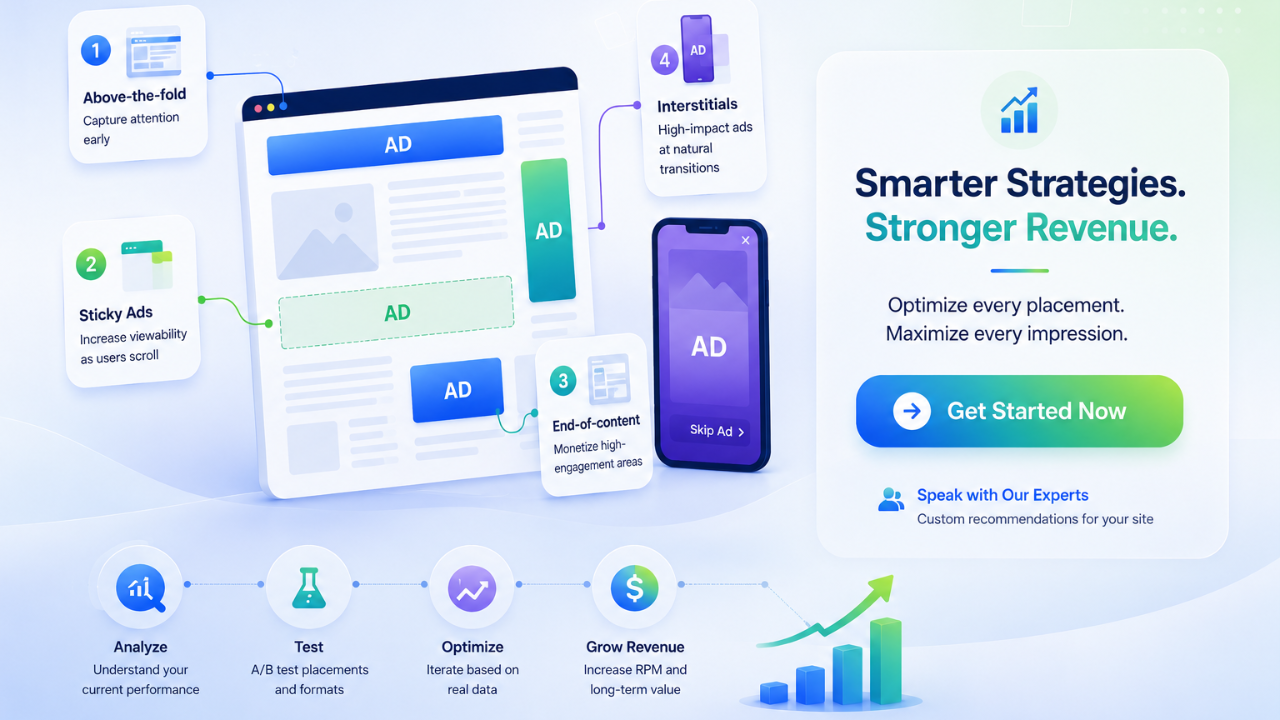
Ad placement #1: Combine above-the-fold and in-content ads
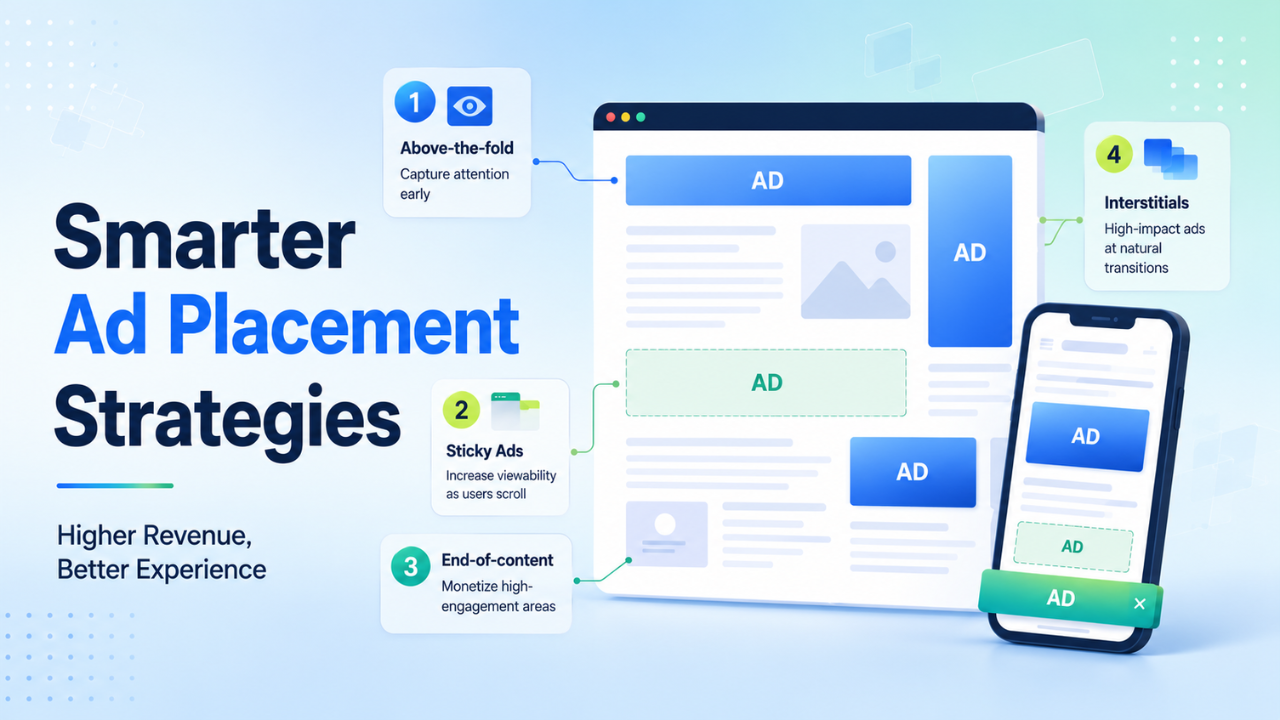
A balanced layout gives publishers the best opportunity to improve both visibility and engagement. Instead of relying on a single high-performing placement, combining above-the-fold visibility with well-positioned in-content ads creates multiple monetization opportunities throughout the reader’s journey.
Place a lightweight banner above the fold
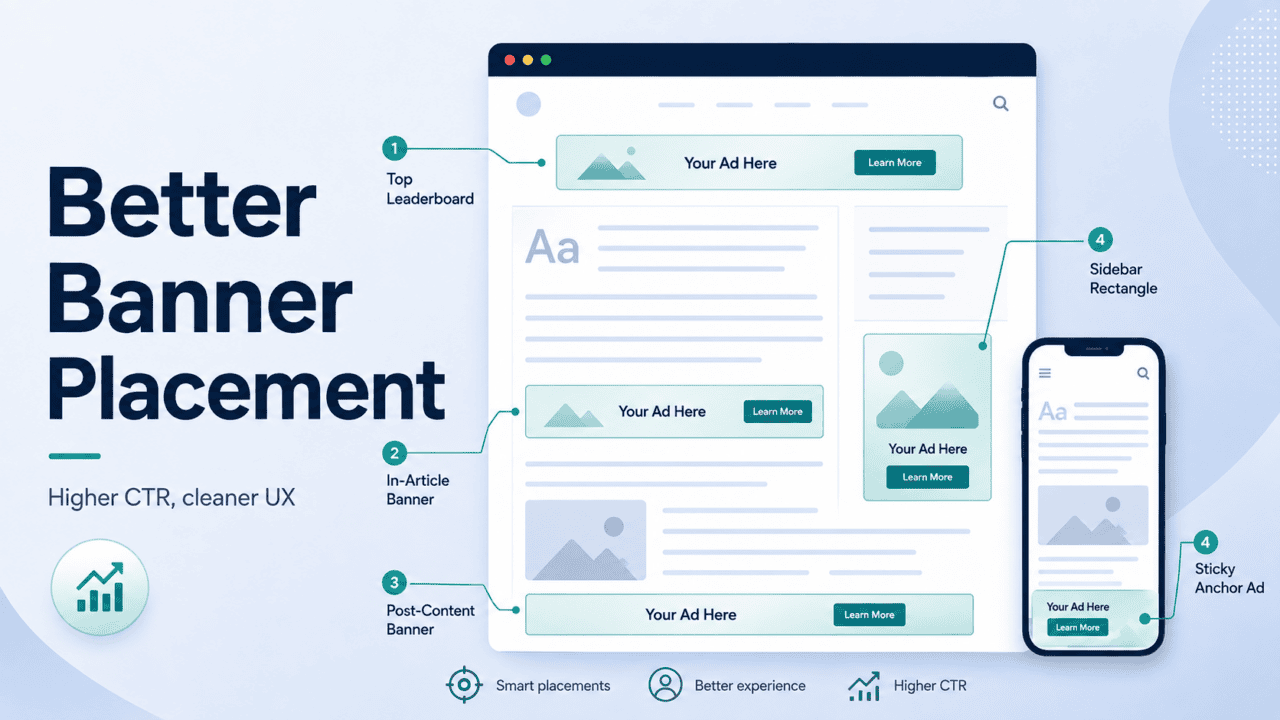
The first screen remains one of the most valuable areas on any webpage because every visitor sees it. A leaderboard or responsive banner placed directly below the navigation menu provides immediate visibility without preventing readers from accessing the content.
The key is to avoid pushing the article too far down the page. If advertisements dominate the first screen, users may leave before engaging with the content, leading to higher bounce rates and lower advertiser value.
Insert ads naturally within the content
In-content ads typically perform best because they appear while readers are actively consuming information. Rather than interrupting the experience, these placements become part of the natural reading flow.
A common approach is to place the first ad after the introduction or below the first major heading, where engagement remains high. Additional ad units can then be inserted every three to four paragraphs, depending on article length and content structure. This spacing provides consistent visibility without making the page feel overcrowded.
Publishers should also adjust placement based on device type. On mobile screens, where scrolling is continuous, slightly wider spacing often creates a smoother reading experience than placing ads too frequently.
Keep ad density under control
Displaying too many ads within a short section of content can reduce both user engagement and advertiser demand. Even if more impressions are generated, lower viewability and increased banner blindness often offset any potential revenue gains.
A practical guideline is to keep advertising below roughly 30% of the visible page area while maintaining enough editorial content between placements. This balance helps preserve readability while allowing each ad unit to attract meaningful attention.
Best use cases
This layout performs particularly well for:
- Long-form blog articles where readers scroll steadily through the content.
- News websites with high daily traffic and multiple content sections.
- Educational guides and tutorials that encourage longer reading sessions.
By combining strong initial visibility with strategically spaced in-content units, publishers create a monetization framework that improves Page RPM without compromising user experience.
Ad placement #2: Improve viewability with sticky ads
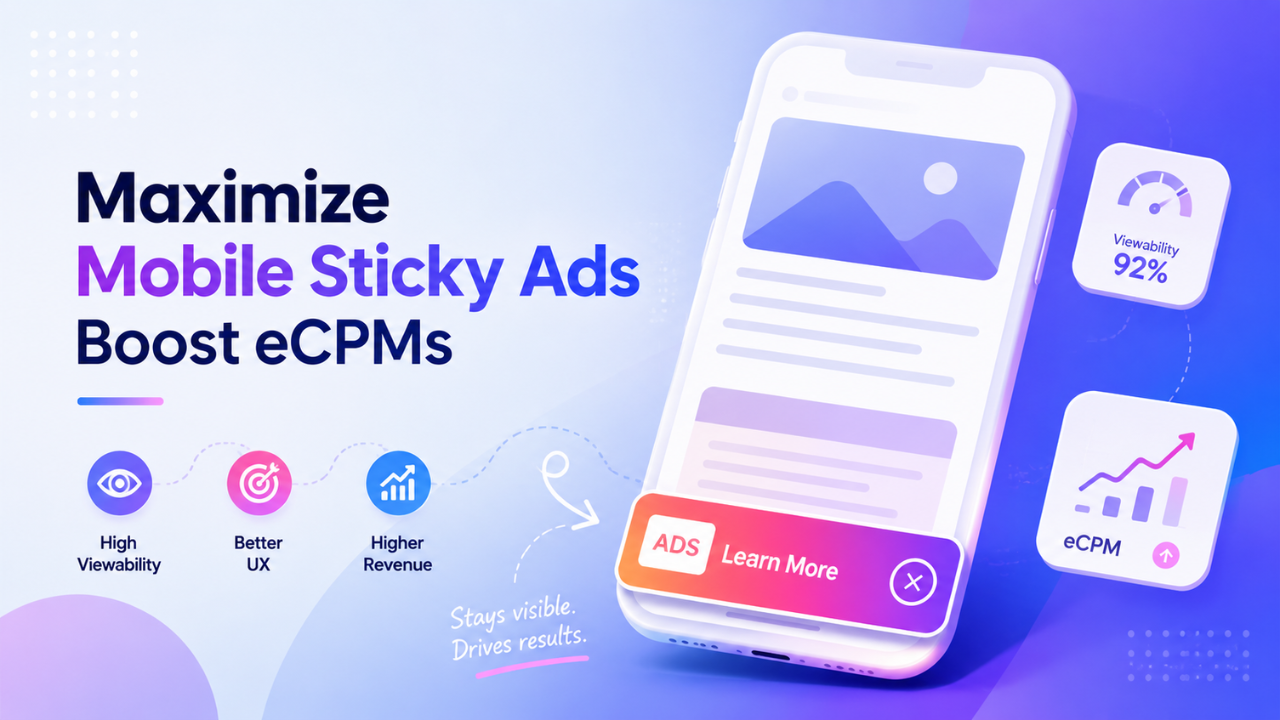
Sticky ads remain visible as users scroll through a page, making them one of the most effective ad placements for increasing viewability. When implemented carefully, they keep valuable inventory within the user’s viewport without disrupting the reading experience.
Unlike standard display ads that disappear after a few scrolls, sticky placements continue generating opportunities for engagement throughout a session. This extended exposure often translates into stronger advertiser demand and higher revenue.
Use bottom anchor ads on mobile
Mobile bottom anchor ads are fixed to the bottom of the screen while users browse a webpage. Because they stay within the viewport, these units consistently achieve high viewability and remain one of the most widely adopted mobile ad formats.
A responsive bottom anchor should occupy only a small portion of the screen and always include a clear close button. This approach keeps the ad visible while allowing readers to continue consuming content comfortably.
Add a sticky sidebar on desktop
Desktop websites often have unused space beside the main content. A sticky sidebar takes advantage of this area by keeping a medium rectangle or half-page unit visible as users scroll through long articles.
This placement works particularly well when the content column remains the primary focus. Publishers should avoid stacking multiple sticky units on the same side, as excessive advertising can reduce visibility and create unnecessary distractions.
Refresh ads based on viewability
Auto-refresh can significantly increase revenue, but refreshing ads too frequently may reduce inventory quality and advertiser trust.
A better approach is to refresh sticky ads only after they have remained viewable for a defined period, such as 30 seconds. This ensures each impression has genuine value before a new auction begins, helping publishers increase impressions without compromising user experience.
Best use cases
Sticky ad placements are especially effective for:
- Long-form articles with high average time on page.
- Editorial websites where readers continuously scroll through content.
- Knowledge hubs and tutorial websites with deep reading sessions.
When combined with well-positioned in-content ads, sticky placements create a balanced monetization strategy that improves viewability while preserving a clean and user-friendly layout.
Ad placement #3: Monetize high-engagement areas
Not every valuable ad placement is located at the top of a page. Some of the highest-performing opportunities appear when readers have finished consuming content and are deciding what to do next.
At this stage, users are more likely to explore related articles, join discussions, or continue browsing. Placing ads within these natural transition points helps capture attention without interrupting the reading experience.
Add native recommendation units below the article
The end of an article is one of the best locations for native recommendation widgets. Rather than presenting another standard display banner, native units blend naturally with editorial content by showcasing recommended articles or sponsored content in a familiar layout.
Because readers are already looking for the next piece of content, native recommendations often generate stronger engagement than traditional banner ads in the same position.
Place ads near active discussion areas
Comment sections attract highly engaged visitors who are willing to spend additional time on a page. Placing a display or native ad immediately above the comments allows publishers to reach users before they begin reading or participating in the discussion.
For websites with active communities, this placement can deliver consistent visibility without competing directly with the main article content.
Match the format to user intent
Readers who reach the bottom of an article are typically exploring rather than scanning. Native formats align well with this behavior because they feel like a natural continuation of the browsing experience.
Instead of relying exclusively on standard display banners, publishers should consider formats such as:
- Native recommendation widgets: Blend with editorial content and encourage further exploration.
- Multiplex units: Display multiple content or advertising cards within a single placement.
- Related content modules: Combine internal article recommendations with sponsored content to increase engagement while generating additional revenue.
Selecting the right format for the user’s intent often produces better long-term performance than simply inserting another banner ad.
Best use cases
End-of-content placements work particularly well for:
- News and magazine websites.
- Opinion and editorial platforms.
- Forums and community-driven websites.
- Blogs with strong internal linking and high article completion rates.
When paired with a well-designed recommendation section, these placements extend user sessions while creating additional monetization opportunities after the primary content has been consumed.
Ad placement #4: Use interstitial ads at natural transition points
Interstitial ads are among the highest-impact ad formats available to publishers. When shown at the right moment, they attract strong advertiser demand and can generate significantly higher CPMs than standard display units.
The key is timing. Instead of interrupting users while they’re reading, interstitials should appear during natural transition points, when visitors are already moving from one page or action to another.
Display interstitials between page views
One of the most effective placements is between two pieces of content. For example, an interstitial can appear when a user clicks from one article to the next before the new page loads.
Because this placement doesn’t interrupt the reading flow, it feels less intrusive while still delivering excellent visibility. It works particularly well on websites where visitors regularly browse multiple pages during a session.
Use exit-intent overlays selectively
Desktop publishers can also use exit-intent technology to display an overlay when a visitor appears ready to leave the website. This provides one final opportunity to monetize the session or promote related content before the user exits.
However, exit-intent ads should be used carefully. Poorly designed overlays that appear too frequently or block navigation can frustrate users and increase abandonment rates.
Set frequency caps to protect user experience
Even high-performing ad formats lose value when they are overused. Showing interstitials too often can reduce engagement, encourage users to leave the site, and create compliance issues with industry standards.
A practical starting point is to limit interstitials to one impression every 10 to 15 minutes per user. Publishers should then monitor engagement metrics and adjust the frequency based on real user behavior rather than maximizing short-term impressions.
Best use cases
Interstitial ads perform best on websites where visitors naturally move between multiple pages, including:
- News websites with high page-per-session.
- Content hubs with strong internal linking.
- Online tools and calculators.
- Entertainment and media portals.
When used sparingly and placed at natural transition points, interstitials can become a valuable addition to an ad placement strategy without disrupting the overall browsing experience.
How to continuously optimize ad placement
Even the most effective ad layout shouldn’t remain unchanged forever. User behavior, traffic sources, and advertiser demand evolve over time, making continuous optimization essential for maintaining strong monetization performance.
Rather than relying on assumptions, publishers should regularly review placement performance and make incremental improvements based on real data.
Test different layouts
There is no universal ad layout that works for every website. A placement that performs well on a news site may produce completely different results on a niche blog or community forum.
A/B testing allows publishers to compare different layouts, ad positions, and spacing to identify which combination delivers the highest revenue while maintaining a positive user experience. Testing desktop and mobile layouts separately is equally important, as user behavior often differs across devices.
Monitor the right performance metrics
Optimization decisions should be based on measurable outcomes instead of impression volume alone. Reviewing a small set of key metrics regularly helps identify which placements deserve more attention and which should be adjusted or removed.
Focus on metrics such as:
- Ad viewability: Indicates whether ads are being seen by users.
- CTR: Measures how effectively each placement attracts engagement.
- Page RPM: Shows the revenue generated across the entire page.
- Scroll depth: Reveals how far visitors typically read before leaving.
- Core Web Vitals: Highlights whether ad loading is affecting site performance.
Looking at these metrics together provides a more complete picture than evaluating any single KPI in isolation.
Optimize with real performance data
Small layout adjustments can have a significant impact on long-term revenue. Moving an ad slightly lower in the content, reducing ad density, or replacing a low-performing sidebar unit may improve both user engagement and advertiser demand.
Instead of relying on fixed layouts, publishers should continuously evaluate placement performance using real traffic data. Platforms such as PubFuture help publishers analyze inventory performance, identify high-value placements, and optimize ad layouts to maximize revenue while maintaining a positive user experience.
Sign up for a free PubFuture account and discover new opportunities to increase your website’s ad revenue.
Common ad placement mistakes
Even well-designed websites can lose revenue because of avoidable placement mistakes. Identifying these issues early helps improve both monetization performance and the overall browsing experience.
Pushing content below the fold
Displaying large advertisements before visitors reach the main content creates unnecessary friction. When users cannot immediately access the information they came for, bounce rates often increase and engagement declines.
The first screen should balance advertising with visible editorial content instead of allowing ads to dominate the page.
Ignoring layout shifts
Ads that load without reserved dimensions can cause content to jump while the page is loading, creating a poor reading experience and negatively affecting Core Web Vitals.
Publishers should reserve space for every ad slot to reduce cumulative layout shift (CLS) and maintain a stable page layout.
Overloading sidebars
Sidebars remain useful on desktop, but filling them with multiple display units rarely improves revenue. Lower placements often receive little attention, resulting in poor viewability and weak advertiser demand.
A single high-quality sticky unit usually delivers better performance than several low-visibility sidebar ads.
Using the same layout on every device
Desktop and mobile visitors interact with webpages differently. A layout optimized for large screens may create excessive scrolling or interrupt the reading experience on smartphones.
Creating separate ad placement strategies for desktop and mobile helps improve viewability while providing a more consistent user experience across devices.
Effective ad placement is about maximizing the value of every impression, not maximizing the number of ad slots on a page. By placing ads where users naturally engage, improving viewability with sticky units, monetizing high-engagement areas, and using interstitials selectively, publishers can increase revenue while maintaining a fast and user-friendly website.
As user behavior and advertiser demand evolve, optimizing your ad placement should become an ongoing part of your monetization strategy. Small improvements made consistently often lead to stronger long-term revenue performance.
Ready to improve your website monetization? Fill out our contact form and let the PubFuture team help you identify the best ad placement opportunities for your website.