


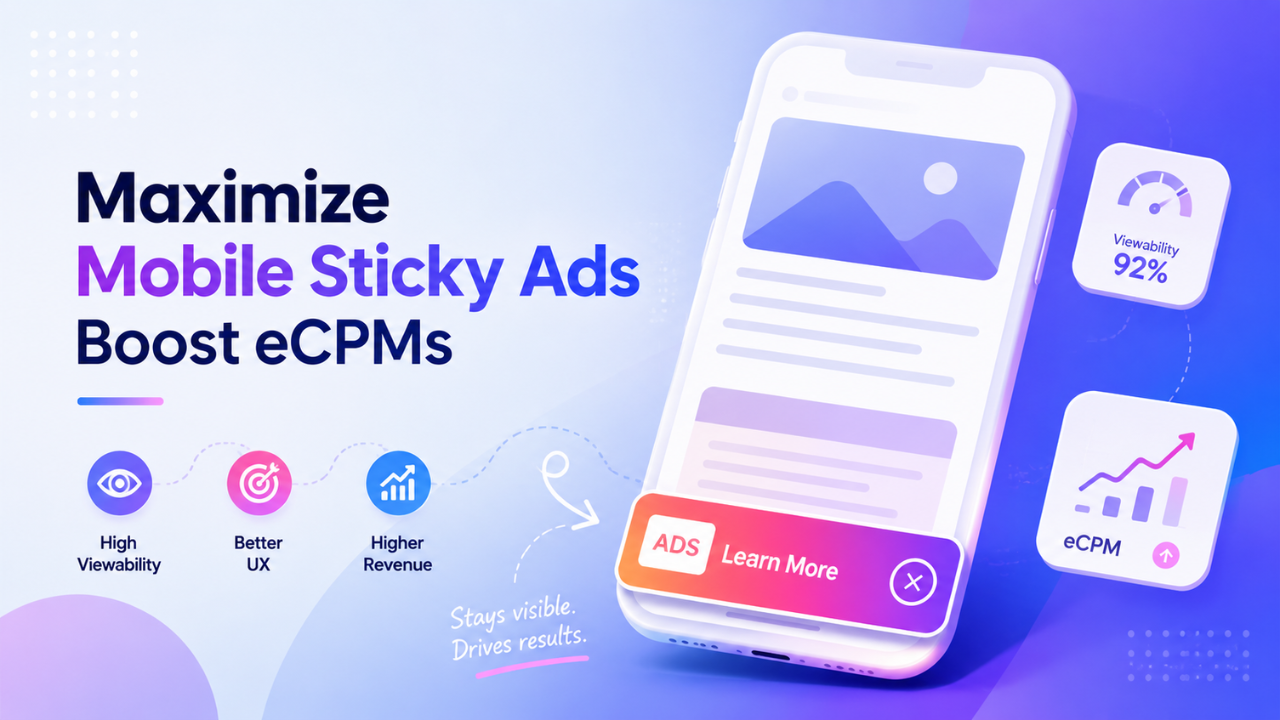
Mobile traffic dominates today’s web, but generating higher revenue from mobile users remains a challenge for many publishers. Among the available display formats, Mobile Sticky Ad consistently deliver some of the highest viewability and eCPMs because they stay visible as readers continue scrolling.
However, strong performance depends on more than simply placing a sticky banner at the bottom of the screen. Poor sizing, intrusive layouts, and difficult-to-close ads can frustrate users, reduce engagement, and even create compliance risks with Google policies.
This guide explores the best practices for implementing Mobile Sticky Ad, from choosing the right ad sizes and optimizing close-button UX to configuring floor prices and auditing performance. By following these recommendations, publishers can maximize mobile revenue while maintaining a better reading experience.
Table of Contents
Why mobile sticky ad generate higher eCPMs
Mobile Sticky Ad have become one of the most valuable ad placements on the mobile web because they combine exceptional visibility with strong advertiser demand. Rather than relying on additional ad slots to increase revenue, publishers can generate more value from each pageview by making a single placement significantly more viewable.
Mobile sticky ad achieve exceptional viewability
Unlike standard in-content banners, Mobile Sticky Ad remain visible while users continue scrolling through an article. Instead of appearing briefly before disappearing above the fold, the ad stays within the viewport for much longer, giving both users and advertisers more opportunities to see the creative.
This persistent visibility is one of the main reasons sticky inventory consistently outperforms traditional mobile display ads. While standard banners often lose visibility as readers move through a page, well-implemented sticky ad regularly achieve viewability rates above 85%, with many publishers reporting results exceeding 90% on engaged traffic.
Higher viewability is valuable because it reflects genuine ad exposure rather than simply counting served impressions. Advertisers increasingly evaluate inventory based on whether users actually have the opportunity to see an ad, making sticky placements particularly attractive in programmatic auctions.
Advertisers are willing to pay more for persistent visibility
Programmatic buyers do not assign the same value to every impression. Inventory that consistently delivers strong viewability and measurable attention generally attracts more competition during real-time bidding, resulting in higher CPMs and stronger overall revenue.
Because Mobile Sticky Ad remain visible throughout the reading experience, they provide advertisers with greater confidence that campaigns are reaching real users. This makes sticky inventory particularly attractive for brand awareness campaigns, where sustained visibility is often more valuable than simply serving a larger number of impressions.
For publishers, this creates an important monetization advantage. Instead of increasing ad density or introducing additional placements that may negatively affect user experience, they can improve revenue by increasing the value of impressions they already serve. A single high-quality sticky placement often generates more revenue than several low-viewability banners placed throughout the page.
Sticky ad are especially effective on websites where visitors naturally spend time reading and scrolling. News publishers, blogs, technology websites, finance portals, educational resources, and long-form content sites often benefit the most because users remain engaged with content for longer periods, allowing sticky placements to deliver sustained visibility.
Revenue gains should never come at the expense of user experience
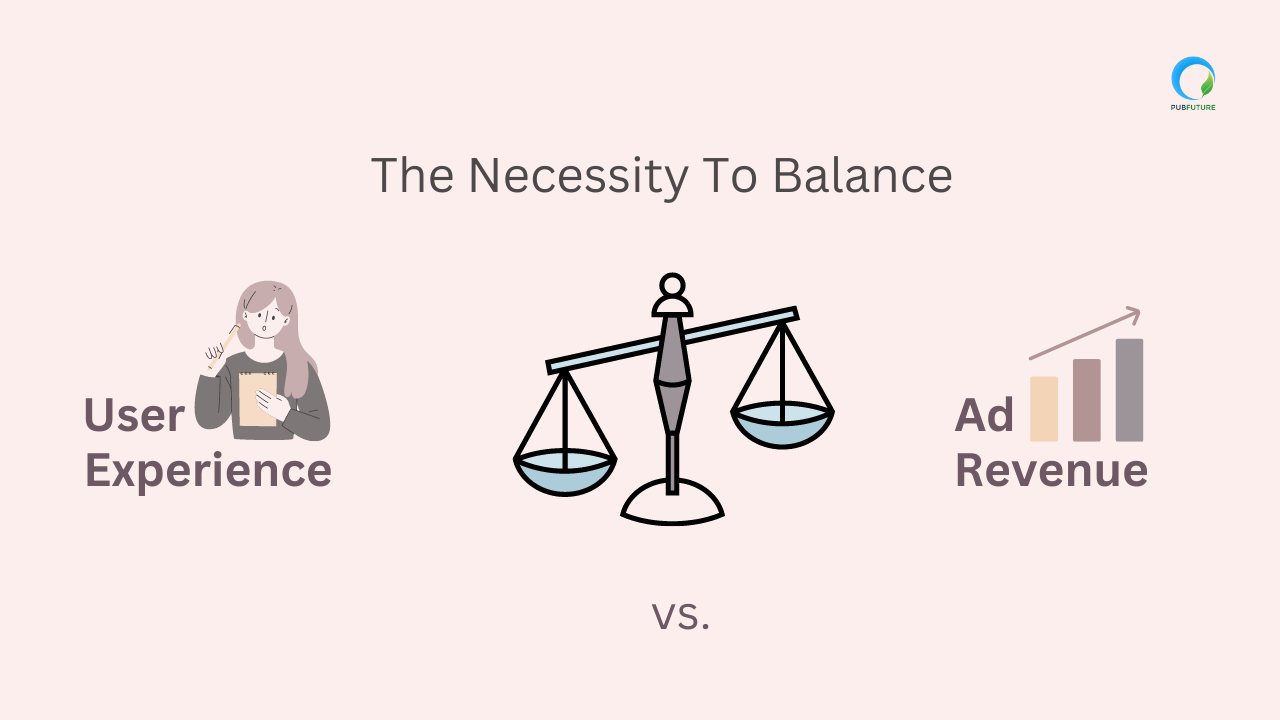
Although Mobile Sticky Ad can significantly improve revenue, they must be implemented carefully. Smartphones offer limited screen space, meaning every persistent element competes directly with the content users came to read. A poorly designed sticky placement can quickly become intrusive instead of helpful.
Common implementation mistakes include ads covering article text, overlapping cookie consent banners, blocking navigation menus, or using close buttons that are difficult to tap. These issues increase accidental clicks, interrupt reading, and reduce overall engagement. While they may temporarily increase click-through rates, they often damage long-term revenue by creating a poor browsing experience.
Publishers should also consider policy compliance. Google encourages ad layouts that prioritize accessibility and discourage deceptive interactions. Sticky ad that occupy excessive screen space or intentionally make dismissal difficult may create compliance risks and reduce inventory quality over time.
The highest-performing Mobile Sticky Ad are not simply the most visible. They are the placements that deliver strong viewability while remaining unobtrusive throughout the browsing experience. Publishers who focus on both monetization and usability are far more likely to achieve sustainable revenue growth than those who optimize only for short-term performance.
How to configure mobile sticky ad correctly
A well-designed Mobile Sticky Ad should increase visibility without interfering with the reading experience. Small implementation details, such as ad size, refresh timing, and page spacing, can significantly affect viewability, user engagement, and overall revenue.
Choose standard mobile ad sizes
Selecting the right ad size is the foundation of an effective sticky placement. Industry-standard formats such as 320×50 and 300×50 remain the safest choices because they provide strong visibility while occupying only a small portion of the mobile screen. These formats are widely supported by advertisers, making it easier to maintain healthy demand and fill rates.
Publishers using adaptive anchor ads can further improve performance by allowing the ad container to adjust automatically to different screen widths. This creates a more consistent experience across smartphones without requiring multiple layout configurations.
Larger display formats should be avoided for sticky placements. Using a 300×250 unit as a fixed bottom banner may cover too much of the screen, making content difficult to read and increasing the likelihood of accidental clicks. Besides creating a poor user experience, oversized sticky ad may also conflict with the Better Ads Standards and reduce inventory quality over time.
Apply smart auto-refresh rules
Auto-refresh can increase revenue, but only when implemented carefully. Refreshing a sticky ad simply because a fixed amount of time has passed often results in low-quality impressions that advertisers value less.
A better approach is to combine time-based and viewability-based conditions. Many publishers refresh sticky inventory every 30 to 45 seconds, but only if the ad remains fully visible and the user is actively interacting with the page. This ensures each refreshed impression has a genuine opportunity to be seen rather than being served while the page is inactive.
Publishers should also avoid aggressive refresh intervals below 30 seconds. Frequent refreshing may inflate impression counts, but it can reduce advertiser confidence, lower CPMs, and create unnecessary ad fatigue for returning visitors.
Prevent content overlap across devices
Even a perfectly sized sticky ad can become intrusive if it overlaps important page elements. Footer links, floating navigation bars, live chat widgets, cookie consent banners, and social sharing buttons often compete for the same space at the bottom of the screen.
Before deploying Mobile Sticky Ad across a website, publishers should review how the placement behaves on different screen sizes and operating systems. The sticky unit should never cover article text, block important navigation, or prevent users from accessing essential page features.
It is equally important to test layouts across multiple browsers and devices. A sticky placement that works well on one smartphone may behave differently on another due to browser UI variations or responsive design changes. Regular testing helps ensure the ad remains visible without disrupting the overall browsing experience.
► Read more: Balancing Revenue and Experience: Ad Placement Tips for Publishers
Optimizing the dismissal (close button) UX
A close button may seem like a small design element, but it has a significant impact on both user experience and ad performance. Giving users an easy way to dismiss a sticky ad builds trust, reduces frustration, and helps maintain longer browsing sessions without sacrificing revenue.
Make the close button easy to find and tap
The close button should always be clearly visible and large enough for comfortable interaction on a touchscreen. A touch target of at least 30 × 30 pixels is widely considered a practical minimum, allowing users to dismiss the ad without accidentally tapping the creative itself.
Publishers should also ensure the button has sufficient contrast against the ad background and remains consistently positioned across devices. Users should never have to search for the close button or zoom in simply to dismiss an ad.
A well-designed dismissal control improves usability while reducing accidental interactions that can negatively affect advertiser performance metrics.
Avoid dark patterns and accidental clicks
Some websites intentionally make sticky ad difficult to close by hiding the close button, delaying its appearance, or placing it too close to the ad creative. Although these tactics may temporarily increase click-through rates, they often generate accidental clicks rather than genuine engagement.
Accidental clicks provide little value to advertisers and can damage long-term monetization performance. They may also trigger Google’s Confirmed Click protection, which introduces an additional confirmation step before users are redirected after tapping an ad. While this feature helps prevent unintended clicks, it can also reduce click efficiency and advertiser confidence.
Rather than optimizing for short-term CTR, publishers should focus on creating a browsing experience where every ad interaction is intentional. Genuine engagement is more valuable than inflated click metrics and contributes to healthier demand over time.
Respect user choice throughout the session
Closing a sticky ad should be treated as a user preference, not as a temporary interruption before showing the same placement again a few seconds later.
If a visitor dismisses the anchor ad, it is generally better to keep it hidden for the remainder of that pageview or browsing session. Respecting that choice helps reduce frustration and encourages users to continue reading instead of leaving the site.
This approach also creates a better balance between monetization and user retention. Publishers still benefit from high-viewability inventory during most sessions, while readers maintain control over their browsing experience. Over time, this balance contributes to stronger engagement metrics and more sustainable advertising revenue.
Floor price tactics to maximize mobile sticky eCPMs
Mobile Sticky Ad consistently achieve higher viewability than most standard display formats, making them suitable candidates for more aggressive pricing strategies. However, simply setting a higher floor price does not guarantee better revenue. Successful publishers continuously adjust pricing based on demand, competition, device characteristics, and historical auction performance.
Use dynamic floor pricing for sticky inventory
Because sticky ad remain visible for longer periods, advertisers often perceive them as premium inventory. This allows publishers to apply floor prices that are typically 20% to 30% higher than those used for standard in-article banners.
Instead of relying on static values, dynamic floor pricing automatically adjusts minimum bid thresholds based on factors such as geography, traffic quality, historical bid density, and seasonal demand. This approach helps maximize competition during strong demand periods while maintaining healthy fill rates when demand declines.
Create separate pricing rules for mobile traffic
Not all devices generate the same revenue potential. Desktop, tablet, and mobile traffic behave differently, and combining them under a single pricing rule often limits optimization opportunities.
In Google Ad Manager, publishers should create dedicated Unified Pricing Rules for mobile inventory rather than applying one global floor across every device category. Mobile Sticky Ad deserve their own pricing strategy because their viewability characteristics differ significantly from standard display placements.
Separating pricing by device also makes it easier to evaluate performance and adjust floor prices without affecting the rest of the site’s inventory.
Increase auction pressure with multi-size bidding
Allowing a sticky placement to accept multiple compatible ad sizes can increase demand competition. Rather than limiting an ad slot to a single creative size, publishers can enable formats such as 320×50, 300×50, and 320×100 when appropriate.
This gives more demand partners the opportunity to compete for the same impression, improving auction density and increasing the likelihood of receiving stronger bids. More eligible creatives generally create a healthier auction than restricting buyers to a single size.
The selected sizes should always remain compatible with the available screen space. Larger creatives should only be served when they fit naturally within the layout and do not compromise usability.
Review floor prices regularly instead of setting them once
Floor pricing should never be treated as a one-time configuration. Demand changes throughout the year due to seasonality, advertiser budgets, traffic sources, and regional buying patterns.
Reviewing pricing performance every few weeks helps identify opportunities to increase revenue without harming fill rate. If auctions consistently clear well above the current floor, publishers may have room to increase minimum pricing. Conversely, if fill rate begins to decline without a corresponding increase in CPMs, lowering the floor slightly may improve overall revenue.
Publishers that continuously refine their pricing strategy generally outperform those relying on static configurations that remain unchanged for months.
Looking to maximize the value of your mobile sticky inventory? PubFuture helps publishers connect with premium demand partners, optimize floor pricing, and improve auction competition through data-driven yield optimization. Create a free PubFuture account to receive a personalized monetization review and discover new opportunities to increase your mobile ad revenue.
Mobile sticky ad optimization cheat sheet
Keeping Mobile Sticky Ad optimized does not require constant adjustments, but it does require following a few proven best practices. Use the checklist below as a quick reference when reviewing your mobile inventory.
Ad unit size
Choose industry-standard formats such as 320×50, 300×50, or adaptive anchor ads that automatically adjust to different screen widths. These sizes provide excellent visibility without occupying excessive screen space.
Avoid using 300×250 as a fixed sticky placement. Larger creatives can block content, reduce usability, and create policy compliance concerns on smaller mobile devices.
Close button
Always provide a clearly visible close button with a touch target of at least 30 × 30 pixels. Users should be able to dismiss the ad easily without accidentally tapping the creative.
Avoid hiding the close button, delaying its appearance, or placing it too close to the advertisement. These practices often lead to accidental clicks and reduce the overall quality of your inventory.
Refresh interval
Refresh sticky ad only after they have remained visible for 30 to 45 seconds while the user is actively interacting with the page.
Refreshing inactive impressions or using aggressive intervals below 30 seconds rarely improves long-term revenue. Instead, it can lower advertiser confidence and reduce the value of future bids.
Layout spacing
Reserve sufficient space at the bottom of the page so the sticky unit never overlaps article content, navigation menus, footer links, cookie consent banners, or other important interface elements.
A layout that feels natural encourages readers to continue scrolling while keeping the advertisement fully viewable.
Floor pricing
Treat Mobile Sticky Ad as premium inventory by assigning higher floor prices than standard in-article banners. A dynamic pricing strategy based on historical demand generally produces better results than using a single fixed floor across every placement.
Monitor fill rate alongside CPMs to ensure higher floor prices are improving revenue rather than reducing auction participation.
Viewability target
Aim for a viewability rate of at least 85% for Mobile Sticky Ad. If performance consistently falls below this benchmark, review page layout, loading behavior, and refresh conditions before increasing ad density or adjusting pricing rules.
A high viewability score is one of the strongest indicators that sticky inventory is delivering value to both advertisers and publishers.
How to audit mobile sticky ad performance
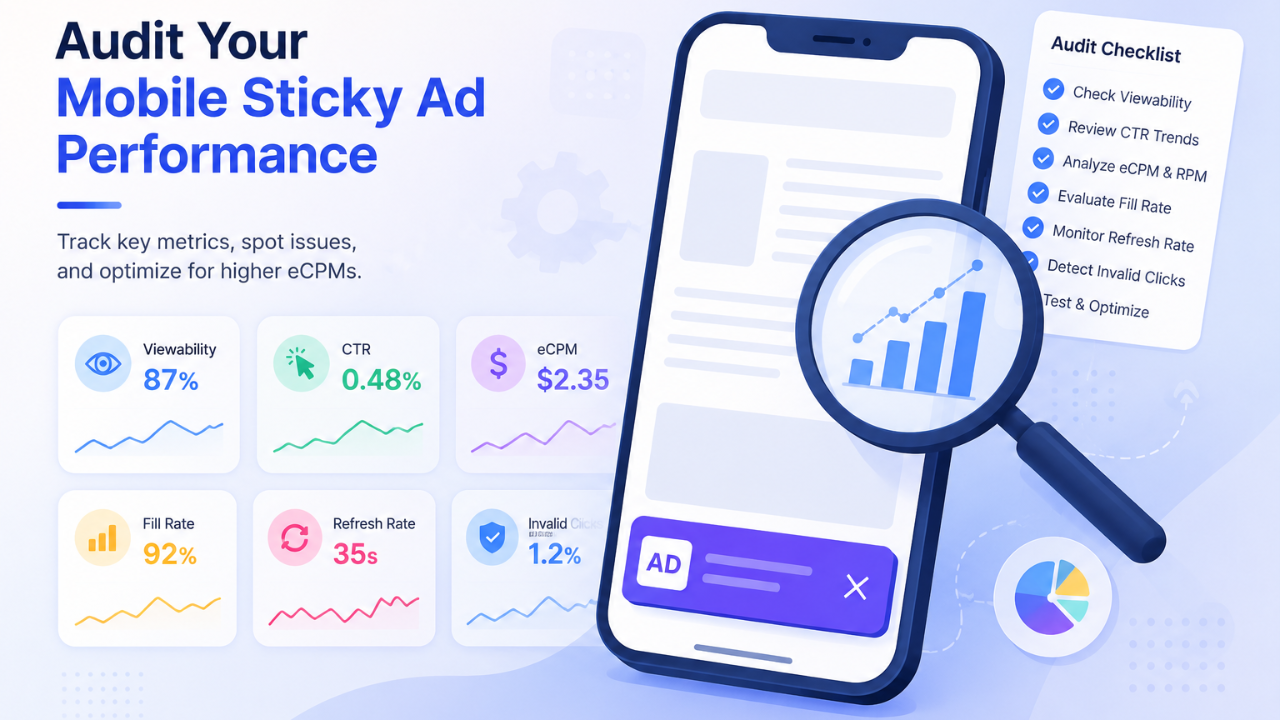
Launching a Mobile Sticky Ad is only the first step. To maximize long-term revenue, publishers should regularly review performance data and identify opportunities for improvement. Small issues such as slower loading times, declining viewability, or accidental clicks can gradually reduce inventory value if they go unnoticed.
Monitor viewability in Google Ad Manager
Viewability should be one of the first metrics reviewed when auditing sticky inventory. Since Mobile Sticky Ad are designed to remain visible throughout a browsing session, publishers should generally expect a viewability rate of 85% or higher.
If viewability falls below 75%, investigate potential causes such as delayed ad rendering, layout shifts, slow-loading scripts, or elements covering part of the advertisement. Improving technical performance often has a greater impact on revenue than simply increasing refresh frequency.
Watch for unusual CTR patterns
A sudden increase in click-through rate is not always a positive sign. If CTR rises sharply while eCPMs or advertiser performance decline, the issue may be accidental clicks rather than stronger user engagement.
Review the placement of the close button, spacing around the creative, and interactions with other floating elements on the page. Reducing unintended clicks helps improve traffic quality and builds greater confidence among demand partners.
Compare eCPM, fill rate, and RPM together
No single metric tells the complete story of monetization performance. A higher floor price may increase eCPMs but reduce fill rate, while a lower floor may improve fill but decrease the average value of each impression.
Evaluating eCPM, fill rate, and page RPM together provides a more balanced understanding of whether pricing changes are actually increasing total revenue.
Run A/B tests on sticky placement
Although bottom sticky placements remain the industry standard, they are not always the highest-performing option for every website.
Testing top sticky and bottom sticky placements on selected traffic segments can reveal meaningful differences in engagement and revenue. News websites, blogs, and content-heavy publications may produce different results depending on reading behavior, navigation patterns, and page design.
Changes should be measured over a meaningful period with sufficient traffic before drawing conclusions. Decisions based on short-term data often lead to unnecessary layout changes.
Review performance after every layout update
Website redesigns, navigation changes, new cookie banners, or additional floating widgets can unintentionally affect sticky ad performance. Even small interface updates may reduce viewability or create layout conflicts that were not present previously.
For this reason, every significant design update should be followed by a fresh audit of Mobile Sticky Ad. Regular reviews help ensure that high-performing inventory continues to deliver strong revenue without compromising the mobile browsing experience.
Mobile Sticky Ad are one of the most valuable ad formats for mobile publishers because they combine exceptional viewability with strong revenue potential. By choosing the right ad sizes, providing a user-friendly dismissal experience, applying smart floor pricing, and regularly auditing performance, publishers can increase eCPMs while maintaining a clean and engaging mobile experience.
As mobile monetization continues to evolve, ongoing optimization is just as important as the initial setup. Whether you’re refining an existing strategy or looking for new ways to improve mobile ad performance, PubFuture provides the expertise and technology to help publishers maximize long-term revenue while maintaining an excellent user experience. Get in touch with our team to discuss your website monetization goals and explore the best solution for your inventory.