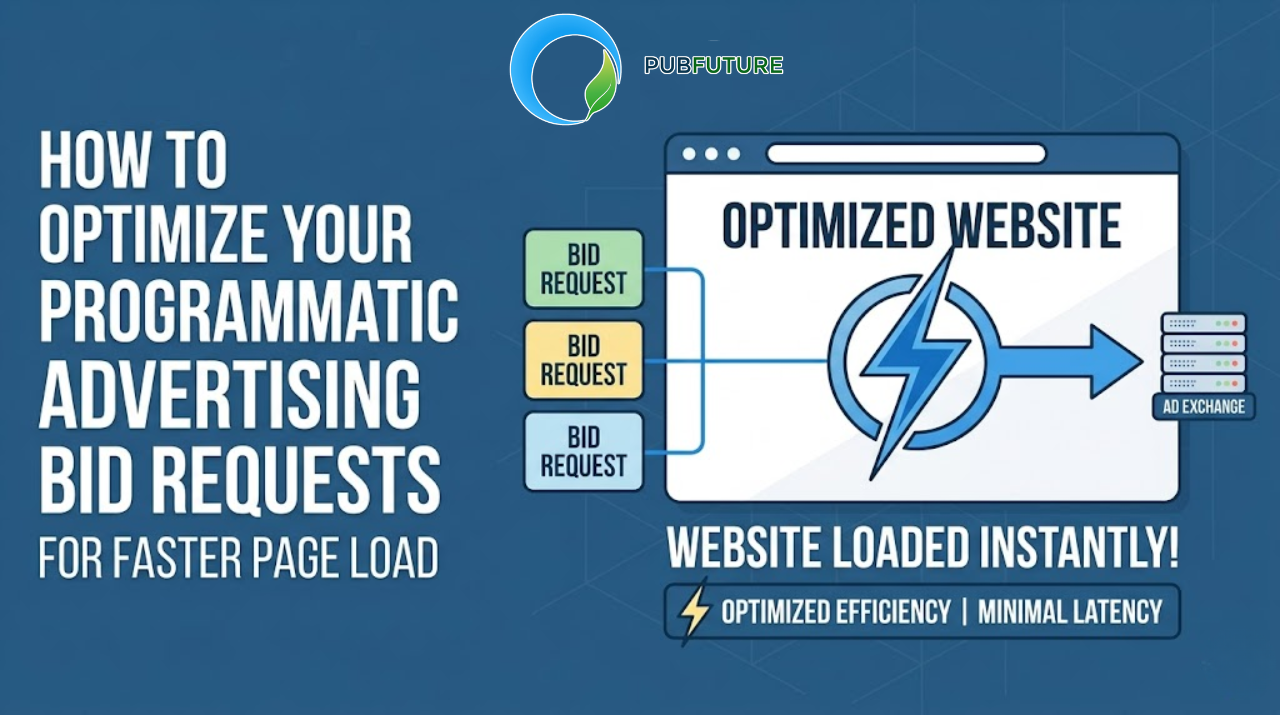



Page speed and ad revenue often feel like competing priorities in header bidding. Publishers want to give demand partners enough time to return competitive bids, but waiting too long can delay ad rendering and create a slower browsing experience. Finding the right balance is where Optimal Prebid Timeout Settings become critical.
A timeout that is too short may exclude valuable bids before they reach the auction. A timeout that is too long can increase latency, reduce user engagement, and impact Core Web Vitals. Neither approach delivers the best long-term revenue performance.
This guide explains how Prebid timeouts work, what timeout range makes a good starting point, and how publishers can use real performance data to identify the configuration that maximizes both revenue and user experience.
Table of Contents
What is a Prebid timeout and why does it matter?
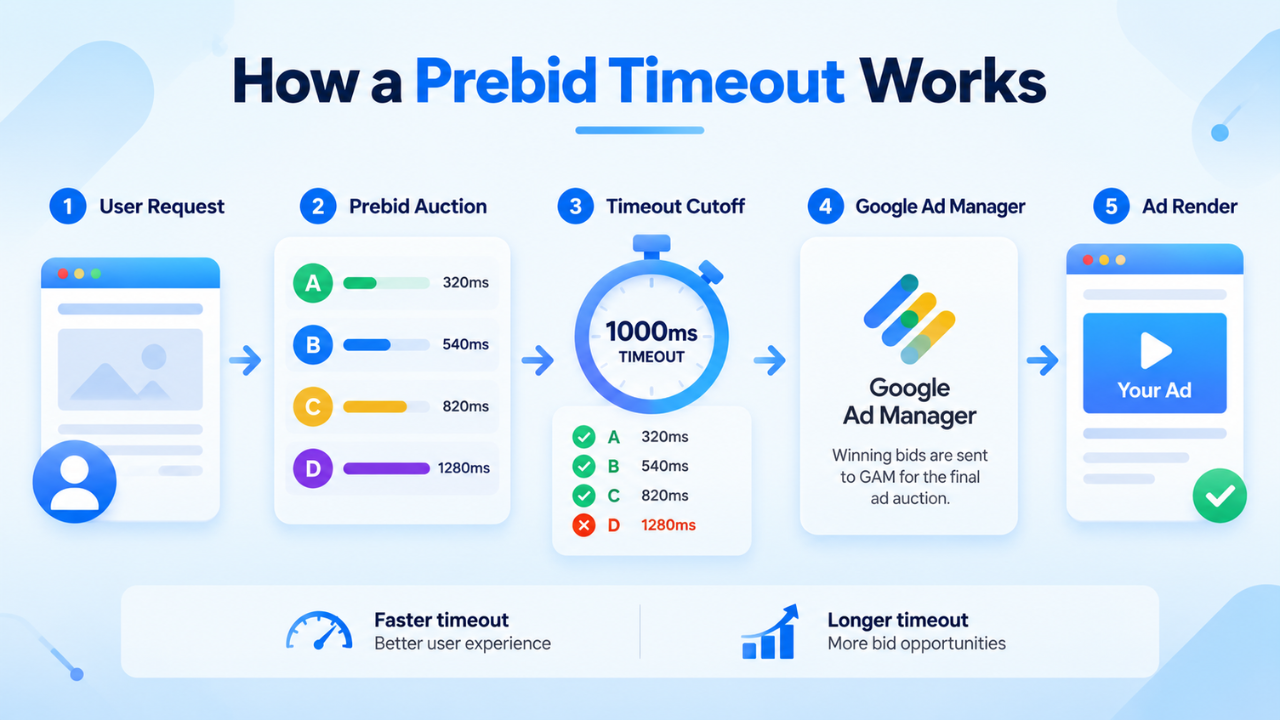
A Prebid timeout defines the maximum amount of time that Prebid.js waits for demand partners to respond before the auction closes and the winning bids are passed to Google Ad Manager (GAM).
Instead of waiting indefinitely for every bidder, Prebid sets a deadline. Any bid received after that deadline is excluded from the auction.
Why every millisecond matters
The timeout value directly influences two important publisher metrics:
- Auction competition: Longer timeouts allow more bidders to participate, potentially increasing bid density and CPM competition.
- Page performance: Shorter timeouts reduce waiting time before ads render, helping pages load faster and improving user experience.
This creates a balancing act. Increasing auction duration may improve revenue in some situations, but only if the additional bids justify the extra latency.
The publisher dilemma
Choosing the wrong timeout usually leads to one of two outcomes:
Timeout too short
A timeout below the response time of several demand partners means those bids never enter the auction. Publishers may lose competitive bids, reduce fill opportunities, and lower overall yield.
Timeout too long
Waiting several extra hundred milliseconds may only add a few additional bids while delaying the Google Ad Manager request and ad rendering. Visitors may scroll past placements before ads appear, reducing viewability and hurting engagement.
The goal is not to collect every possible bid. The goal is to collect enough high-value bids without noticeably slowing the page.
What is a good starting point for Prebid timeout settings?
There is no universal timeout that works for every publisher. The ideal value depends on traffic sources, bidder performance, audience location, and page complexity.
For most client-side implementations, 800 to 1000 milliseconds is a practical starting point. From there, publishers should adjust based on measured bidder response times instead of assumptions.
Desktop vs. mobile traffic
Desktop users often browse on faster connections and more powerful devices. In many cases, an auction timeout between 800 and 1000 milliseconds provides a good balance between bid participation and rendering speed.
Mobile traffic is more variable. Network quality, device performance, and browser limitations differ significantly across users. Some publishers may find that 1100 to 1400 milliseconds captures additional valuable bids, but this should always be validated through testing rather than applied as a default.
Geographic differences
Bid response times also vary by region.
Publishers serving Tier 1 markets such as the United States or Western Europe often work with SSPs that have infrastructure closer to users, resulting in lower network latency.
For global publishers with significant Tier 2 and Tier 3 traffic, higher latency is common. Extending the timeout slightly may improve auction participation, but publishers should first analyze response data before increasing the waiting period for every visitor.
Rather than defining one timeout for every audience, many publishers achieve better results by segmenting traffic based on geography, device type, or network conditions.
The cost of misconfigured timeout settings
An inefficient timeout affects far more than auction duration. It can reduce monetization efficiency across the entire advertising workflow.
Lower auction participation
When a bidder consistently responds after the timeout threshold, its bids never reach the auction.
Over time, publishers may underestimate the value of that demand partner because reported bid rates remain artificially low. At the same time, increasing the timeout simply to accommodate one slow bidder may negatively affect every page view.
This is why latency should be evaluated alongside revenue contribution rather than in isolation.
Slower ad rendering
Long auctions delay the request sent to Google Ad Manager.
Even when ads eventually load, users may have already scrolled beyond the placement or left the page. This reduces the opportunity to generate viewable impressions and limits the revenue benefit gained from additional bids.
Core Web Vitals considerations
Timeouts do not directly cause Cumulative Layout Shift (CLS). Layout shifts are primarily caused by ad slots that lack reserved dimensions or change size after content has loaded.
However, longer auctions can delay ad rendering, making page performance feel slower to users. Combined with inefficient JavaScript execution or heavy bidder adapters, excessive auction duration may also contribute to poorer interaction performance.
Publishers should evaluate timeout settings together with page optimization techniques instead of treating them as independent problems.
How to find your optimal timeout
There is no magic number for every publisher. The most effective timeout is determined through testing, measurement, and continuous optimization rather than assumptions.
Step 1: Start with a reasonable baseline
Begin with a timeout that provides a balance between auction participation and page performance. For many client-side Prebid implementations, 800 to 1000 milliseconds is a practical starting point before making further adjustments.
Configure the global timeout in Prebid.js:
pbjs.setConfig({
  bidderTimeout: 1000
});
This value defines how long Prebid waits for bidders to respond before closing the auction. It should serve as a starting point for testing rather than a permanent configuration.
Step 2: Measure bidder response latency
Before increasing the timeout, understand how quickly each demand partner responds.
During testing, publishers can monitor bidder response times to identify adapters that consistently respond after the auction has already closed.
pbjs.onEvent('bidResponse', function(bid) {
  console.log(
    bid.bidder,
    bid.timeToRespond + ' ms'
  );
});
Review the collected data over several days and group bidders by performance.
For example:
- Fast bidders: Typically respond within 400 to 600 ms.
- Average bidders: Usually return bids between 700 and 1000 ms.
- Slow bidders: Frequently exceed 1200 ms and may contribute little additional revenue.
Rather than increasing the timeout for every user, consider whether consistently slow adapters are delivering enough value to justify the additional waiting time.
Step 3: Test different timeout strategies
Once latency data is available, compare multiple timeout values through controlled A/B testing.
A simple example is adjusting the timeout based on device type:
const isMobile = /Mobi|Android/i.test(navigator.userAgent);

pbjs.setConfig({
  bidderTimeout: isMobile ? 1200 : 900
});
This example illustrates one possible segmentation strategy. In production environments, timeout values should be based on measured bidder latency, audience geography, and network performance rather than device type alone.
Run each configuration for at least two weeks and compare metrics such as:
- Bid rate
- Fill rate
- eCPM
- Revenue per session
- Ad render time
- Core Web Vitals
- Bounce rate
The optimal timeout is the point where additional bidder participation produces meaningful revenue gains without introducing unnecessary latency or reducing the overall user experience.
Advanced ways to reduce Prebid latency
Reducing latency does not always require lowering the timeout. Publishers often achieve better results by optimizing the auction itself.
Prebid Server (Server-to-Server)
Server-side header bidding moves much of the auction away from the browser.
Instead of every bidder running on the user’s device, requests are processed through a centralized server, reducing browser workload and improving scalability for publishers working with many demand partners.
Publishers considering more than six or eight SSPs should evaluate whether a hybrid client-side and server-side setup would improve efficiency.
Remove consistently slow bidders
Not every demand partner deserves equal auction time.
Review bidder performance regularly and identify adapters that:
- Frequently exceed timeout thresholds.
- Generate low revenue.
- Produce low bid density.
Removing underperforming bidders often improves both auction speed and overall revenue quality.
Reserve ad slot space
A well-configured timeout cannot compensate for poor page layout.
Reserve dimensions for every ad placement using CSS so content does not shift when advertisements load.
This simple optimization protects Core Web Vitals while creating a more stable reading experience.
Monitor performance continuously
As header bidding setups become more complex, identifying slow adapters and auction bottlenecks becomes increasingly difficult. Using a monetization platform that continuously evaluates bidder performance can help publishers refine timeout strategies, improve auction efficiency, and maintain a healthier balance between revenue and user experience.
PubFuture helps publishers monitor demand partner performance, optimize header bidding configurations, and uncover opportunities to improve both monetization and page performance without sacrificing user experience.
▶ Read more: Header Bidding vs Open Bidding
Prebid timeout configuration cheat sheet
| Timeout Range | Best For | Advantages | Considerations |
|---|---|---|---|
| Below 600ms | Highly optimized environments with consistently fast bidders | Very fast page rendering and reduced waiting time | Many valid bids may arrive after the auction closes |
| 800 to 1000ms | Standard desktop implementations | Good balance between revenue and page speed | Some slower bidders may miss the auction |
| 1200 to 1500ms | Sites with measured latency or more diverse global traffic | Captures more eligible bids | Longer wait before ad rendering |
| Above 2000ms | Limited testing scenarios only | Maximum response window | High latency with uncertain revenue gains |
Finding Optimal Prebid Timeout Settings is not about choosing a universal number. The right configuration depends on your bidder mix, audience geography, traffic profile, and performance goals. Publishers that rely on real latency data, continuous testing, and regular bidder reviews consistently achieve better long-term revenue than those using static timeout values.
Ready to put these best practices into action? Create a free PubFuture account and start optimizing your header bidding performance today.
As your header bidding strategy evolves, reviewing bidder latency and auction performance should become part of your ongoing optimization process. If you’re looking to improve your website’s monetization strategy, the PubFuture team can help evaluate your current setup and identify opportunities to increase revenue while maintaining a fast user experience. Contact [email protected] to discuss your monetization goals.