

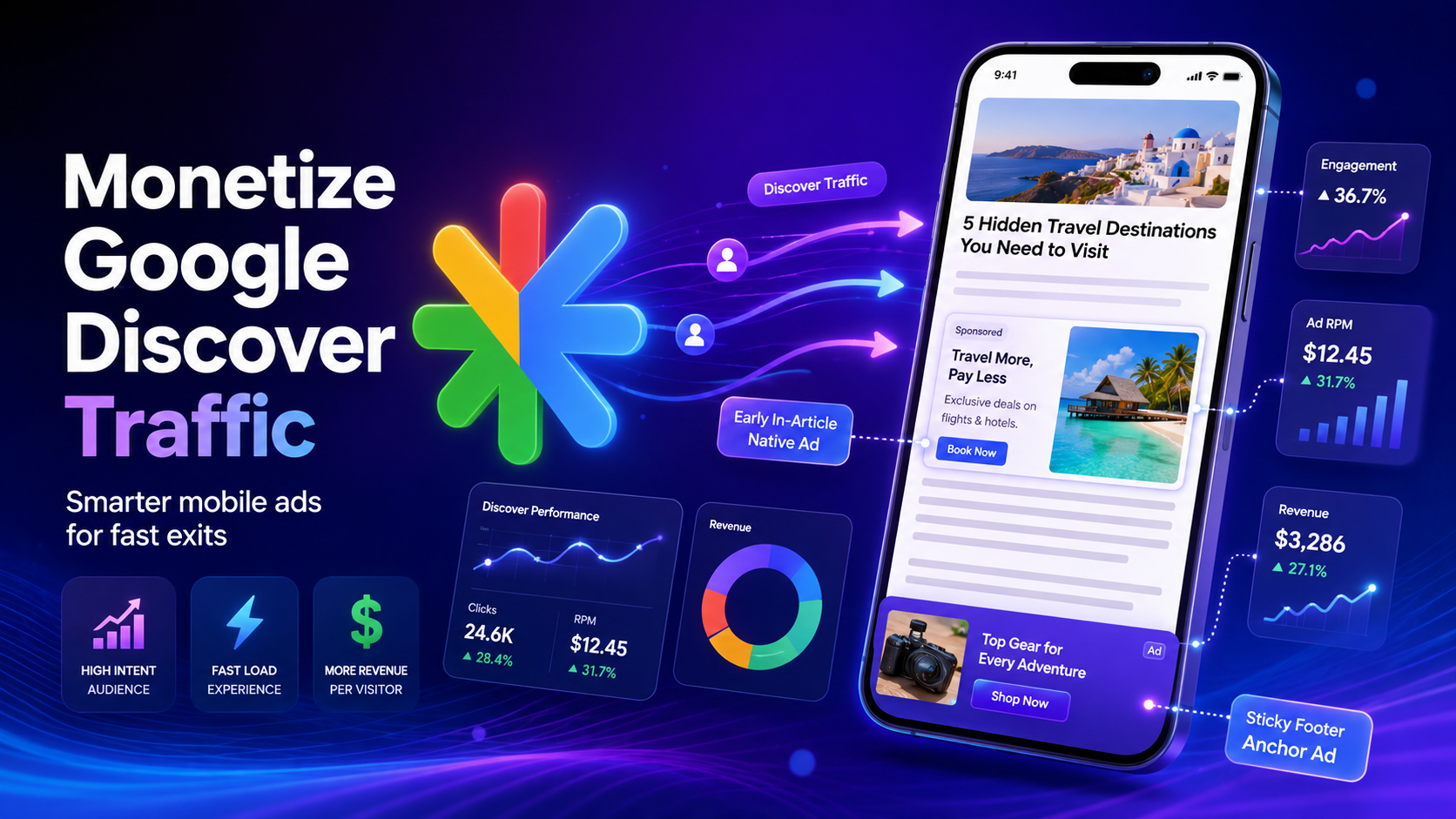
Google Discover can send thousands of mobile visitors to a publisher within a short period. The problem is that many users scan quickly and leave before reaching deeper ad placements.
Effective Google Discover ad optimization therefore needs a mobile-first, front-loaded layout that captures more viewable opportunities during the first part of the session without overwhelming readers.
The key is to prioritize early placements, persistent formats, smart refresh, and fast ad loading while keeping the article easy to read.
Table of Contents
The Google Discover traffic paradox: huge volume, brutal bounce rates
Google Discover traffic can rise quickly when an article gains visibility in the feed. Unlike readers actively searching for detailed information, Discover users often arrive because a headline or image catches their attention while browsing on mobile.
Many will scan the opening paragraphs, scroll through key sections, and leave without reaching the bottom of the page.
This creates a monetization gap for layouts that depend heavily on:
- Deep in-article placements: Ads near the middle or bottom may never enter the viewport.
- Desktop sidebar inventory: These placements have little value for mobile-heavy Discover traffic.
- Late-loading formats: An ad that becomes available after the reader leaves cannot generate revenue.
The objective is not to increase ad density across the entire article. It is to create a front-loaded mobile ad stack that prioritizes the first 30–40% of the page, where short-session users are most likely to spend their time.
The anatomy of a high-yield Google Discover ad layout
A Discover-focused layout should concentrate its strongest monetization opportunities near the beginning of the article:
1. Use one high-impact above-the-fold placement
Place one responsive display unit near the opening content, ideally after the headline, article metadata, or first short paragraph.
A typical structure could be:
H1 → author/date → opening paragraph → responsive ad → remaining introduction
A responsive unit or 300×250 placement gives the first ad request a stronger chance of becoming viewable before users begin scrolling.
However, the ad should not dominate the entire first mobile viewport. Readers should still see meaningful editorial content immediately after opening the page.
The objective is early monetization without turning the first screen into an ad-heavy experience.
2. Keep a sticky footer anchor available
A sticky footer anchor remains attached to the bottom of the mobile viewport while the reader moves through the article.
This makes it particularly useful for fast-exit traffic because monetization does not depend on the user reaching a specific scroll depth.
Common mobile sizes include:
- 320×50: More compact and less intrusive.
- 320×100: Larger inventory with more visual impact.
- Responsive anchor: Adjusts according to available screen width.
Sticky anchors can maintain strong viewability, but publishers should not treat them as guaranteed 100% viewable inventory.
Monitor performance using metrics such as viewability, close rate, revenue per session, and user engagement.
The anchor must also remain easy to dismiss and should never cover navigation, consent controls, or important article elements.
3. Place the first in-article format early
The area after the second or third paragraph is one of the most important positions for Google Discover ad optimization.
Readers who move beyond the opening screen will reach this placement quickly, giving publishers another monetization opportunity before deeper scroll-off occurs.
Suitable formats include:
- Responsive display: Lightweight and suitable for most article types.
- Interscroller: Creates stronger visual impact during scrolling when implemented carefully.
- Outstream video: Adds access to video demand without requiring editorial video content.
Outstream video can work particularly well for news and lifestyle publishers, but it should not be loaded everywhere by default.
One strong early video opportunity is usually more useful than multiple heavy video players competing for resources.
4. Use the 30% scroll point as a monetization checkpoint
Another responsive or in-article placement can sit around 25–35% of article depth.
This position captures readers who remain interested long enough to continue scrolling but may still leave before reaching the second half of the page.
If the article uses a Read More or Continue Reading button, maintain clear spacing between the control and the advertisement.
Ads should never appear visually connected to navigation or interactive elements because this increases the risk of accidental clicks, especially on smaller mobile screens.
Advanced monetization tactics for fast-exit visitors
Ad placement determines where revenue opportunities appear. Refresh, spacing, and format selection determine how efficiently those opportunities are monetized.
Use viewability-based refresh instead of aggressive timers.
For Google Ad Manager inventory, refresh should not be configured at 15–20 second intervals simply because Discover sessions are short.
A safer setup starts from at least 30 seconds and refreshes only when the eligible ad remains viewable.
A practical configuration can include:
- Wait at least 30 seconds before refresh.
- Refresh only eligible ad units.
- Require the placement to remain viewable.
- Pause refresh when the tab becomes inactive.
- Stop refreshing when the unit leaves the viewport.
This gives longer 45–60 second sessions a chance to produce another monetization opportunity without turning every short visit into aggressive impression generation.
Once the mobile ad stack is structured around early viewability, the next step is making sure those placements can access enough demand to monetize each short session efficiently.
Sign up with PubFuture to access additional demand and explore more opportunities to monetize high-volume mobile traffic.
Protect spacing around interactive elements.
Mobile screens leave little room between content, ads, buttons, and navigation.
Maintain clear visual separation between ads and:
- Social sharing buttons.
- Image galleries.
- Related article cards.
- Navigation controls.
- Continue Reading buttons.
There is no universal padding value that automatically makes a layout compliant. The important factor is whether users can clearly distinguish advertising from interactive site elements.
Use outstream video selectively.
Outstream video can attract stronger video demand than standard display inventory, but it also requires more resources.
Prioritize one early video position where users are likely to reach it. Lower-page video placements should load only when the visitor approaches them.
For publishers receiving large volumes of short-session mobile traffic, optimizing individual placements can become difficult across different GEOs, formats, and demand sources. PubFuture can help evaluate the ad stack, identify stronger placement opportunities, and balance yield with mobile user experience.
If you want to test additional demand and optimize monetization across your mobile inventory, sign up with PubFuture to start exploring revenue opportunities for your website.
Standard mobile layout vs. Google Discover optimized layout
The main difference is not the total number of ads. It is where monetization opportunities are concentrated.
| Criteria | Standard mobile layout | Discover-optimized layout |
|---|---|---|
| Placement focus | Ads distributed throughout the article | Strongest units concentrated in the first 30–40% |
| Core formats | Standard responsive banners | Sticky anchor, early responsive unit, selective video |
| Ad refresh | Fixed timer or no refresh | Viewability-based refresh from 30 seconds |
| Below-fold inventory | Often requested early | Lazy loaded near the viewport |
| Viewability potential | Depends heavily on scroll depth | Prioritizes early visible inventory |
| Revenue strategy | Monetize the full article | Monetize short sessions first |
| Main UX risk | Moderate ad density | Overloading the first mobile viewport |
Publishers should avoid using universal Page RPM or viewability benchmarks when evaluating the layout.
Results vary significantly according to:
- Visitor GEO.
- Content category.
- Device mix.
- Advertiser demand.
- Consent rate.
- Seasonality.
- Session duration.
- Ad formats and demand partners.
Instead, compare Discover traffic against your own baseline.
Track Page RPM, ad impressions per session, viewability, engagement, scroll depth, and Core Web Vitals before and after changing the layout.
Technical checklist: maintaining PageSpeed during Discover spikes
A high-yield layout still needs to load quickly. Sudden Discover traffic is especially sensitive to inefficient ad scripts because thousands of users may arrive within a short period.
Use async and lazy loading.
Ad tags should load asynchronously so they do not block the main article content.
Keep the first monetization opportunity available early, but delay deeper placements until users approach them.
For example, an ad near 70% article depth does not need to request inventory immediately when the page opens.
Lazy loading reduces unnecessary ad requests from visitors who leave early while also protecting bandwidth during traffic spikes.
Reserve space for ad containers.
Advertisements that expand after loading can push content down the screen and create Cumulative Layout Shift.
Reserve appropriate space in CSS before the ad renders:
.article-ad {
  min-height: 250px;
}
The exact value should match the expected sizes for each slot rather than applying 250px to every placement.
Responsive units may require different reserved dimensions according to screen size and historical fill patterns.
Publishers should aim to keep CLS at 0.1 or lower, which aligns with the good Core Web Vitals range.
Prioritize article content before secondary ads.
The headline, hero image, opening text, and first meaningful content should receive loading priority.
Non-essential scripts and lower-page ad units should not compete with the content users need immediately after clicking from Discover.
This is especially important on slower mobile networks.
Prepare caching for sudden traffic spikes.
Google Discover traffic can change quickly, so infrastructure should be prepared before a story becomes popular.
A CDN can cache static assets and, depending on the CMS setup, serve cached page output closer to visitors instead of forcing the origin server to generate every page request.
The goal is to prevent traffic growth from increasing page latency and delaying ad auctions.
Google Discover ad optimization: step-by-step implementation
Google Discover traffic creates a short monetization window. Publishers therefore need to move their strongest opportunities closer to the beginning of the mobile session rather than relying on users to reach the bottom of a long article.
Start your Google Discover ad optimization with these four changes:
- Test a mobile sticky anchor. Track revenue, viewability, close rate, and engagement rather than impressions alone.
- Add one early responsive or outstream placement. Position it within the opening section without pushing meaningful content out of view.
- Use viewability-based refresh from 30 seconds. Refresh only when the placement remains eligible and visible.
- Reserve ad space and lazy load deeper units. Protect Core Web Vitals while avoiding requests for placements users never reach.
The most effective layout is not the one that generates the most ad requests. It is the one that increases revenue from short Discover sessions while keeping the article fast, readable, and easy to navigate.
To review your mobile ad layout and identify stronger monetization opportunities for Google Discover traffic, contact the PubFuture team through the website form and discuss a setup tailored to your inventory.